Pilot Picks sometimes uses affiliate links. This article currently contains none — every link goes straight to the vendor’s own site. Our verdicts don’t change either way.
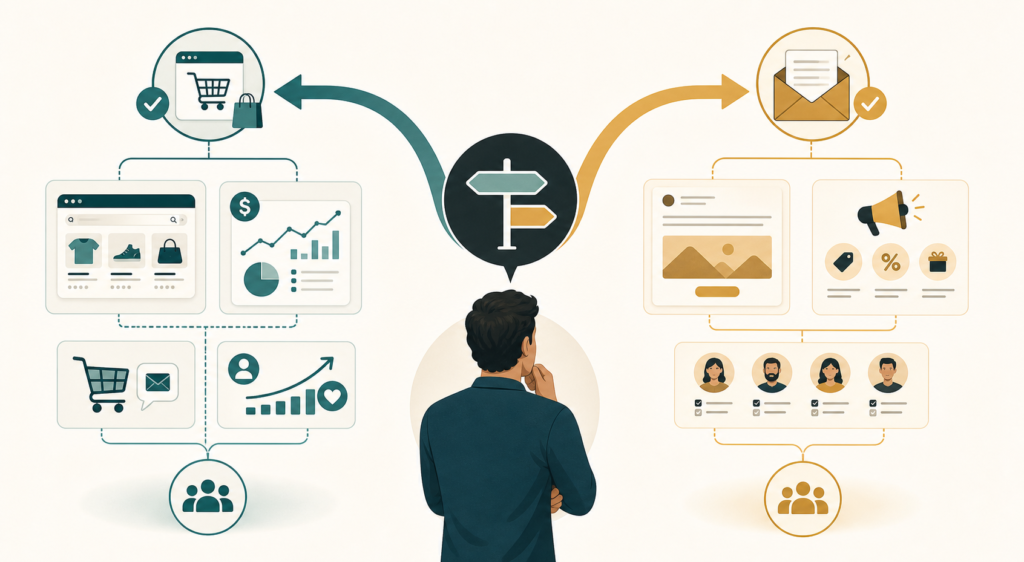
Here’s the answer most comparison posts bury under 3,000 words: if you run an ecommerce store and email is supposed to make you money, pick Klaviyo. If email is a side channel — a service business, a consultancy, an occasional newsletter — pick Mailchimp. Most of the confusion comes from pretending these are two versions of the same product. They aren’t. They’re built for different jobs.
That’s the short version. The longer version is worth ten minutes of your time, because the real differences — the ones that determine what you’ll actually pay 12 months from now — live in the billing mechanics, not the feature tables.
The 30-second decision
| Your situation | Pick |
|---|---|
| Shopify/WooCommerce store, email should drive revenue | Klaviyo |
| Service business, freelancer, simple newsletter | Mailchimp |
| You mainly write content, not sell products | Probably neither (see below) |
| You’re at true zero and just testing | Either free plan — both are now tiny |
What the pricing pages don’t tell you
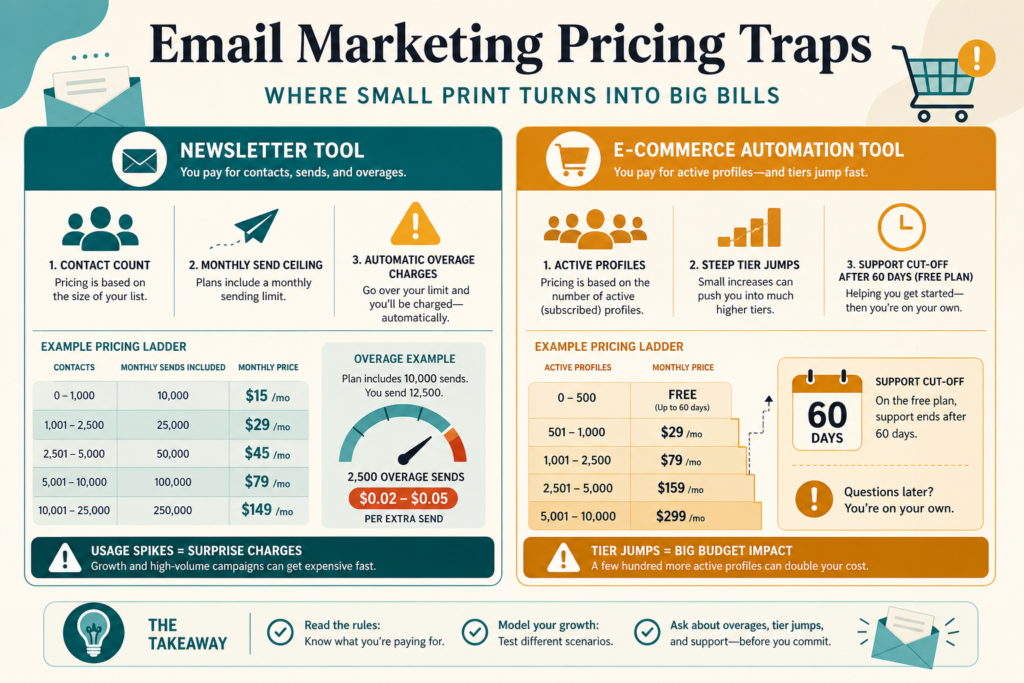
Both tools price by contacts. That sounds simple. It isn’t, and this is where most buyers get surprised.
Mailchimp: watch the contact count and the send ceiling
Three mechanics matter more than the headline price:
- There’s a ceiling on how much you can send. Say you have 1,000 contacts on the Essentials plan: you can send 10,000 emails a month (10× your contact count; the Standard plan allows 12×). A weekly campaign to your full list plus a welcome sequence plus a couple of promos, and that ceiling arrives faster than you’d think.
- Overages bill automatically. Mailchimp’s own pricing page says it plainly: if you hit your contact or sending limit, you’re billed for the overage automatically. Sending doesn’t stop; your invoice grows. Many users discover this on their credit card statement, not in the app.
- Check which “contacts” actually count. Mailchimp’s billing tiers haven’t always counted only the people you can email — before trusting any price estimate, check today’s rules for how subscribed, non-subscribed, and archived contacts are counted. The blunt version: make sure you’re not paying for people you can’t email.
The free plan is now 250 contacts and 500 sends a month (max 250/day). Five years ago Mailchimp’s free tier was the most generous in the industry. That era is over.
Klaviyo: the price curve is the product
Klaviyo bills on active profiles, and the price climbs steeply as your list grows. Klaviyo’s site quotes pricing through a calculator, so treat any ballpark with suspicion — including ours: at the time of writing, list prices ran roughly $30/month for a 1,000-profile list and around $150/month at 10,000 profiles. Don’t budget on those numbers. Put your real list size into Klaviyo’s pricing calculator; the jumps between tiers are not linear.
Klaviyo’s free plan: 250 profiles, 500 emails a month, 150 SMS credits. One detail buried in the fine print: free email support ends after your first 60 days. After that, free-plan users get community resources only.
So why does anyone pay it? Because for stores with steady sales, the revenue usually survives the invoice. Klaviyo’s abandoned-cart, post-purchase, and win-back flows plug into your store’s order data at a depth Mailchimp doesn’t match, and segments like “bought twice in 90 days but not since” are built in — no spreadsheet gymnastics. For a store already doing consistent volume, a properly built abandoned-cart flow often pays for the subscription; for a brand-new store with no traffic, it won’t, and nobody honest will tell you otherwise.
Where each one is genuinely weak
Klaviyo’s weaknesses:
- Price escalation is relentless. Your list grows, your bill grows. Klaviyo only counts active profiles, so clean your list often — remove dead addresses and long-gone subscribers — but the curve is still steep, and SMS credits are a separate spend on top.
- Overkill for non-commerce. If you don’t have order data flowing in, you’re paying for an engine with nothing to burn. The UI assumes you think in customer lifecycle terms.
- Support gating. 60 days of support on free, then you’re on your own unless you pay.
Mailchimp’s weaknesses:
- Ecommerce depth is shallow. The Shopify integration exists (after the famous 2019 breakup and eventual reconciliation), but flow triggers and segmentation built on store data remain far behind Klaviyo. “It connects” and “it’s built for this” are different claims.
- The pricing model punishes growth quietly. Contact counting, send ceilings, and automatic overage billing each nibble separately. The result: your effective price per usable subscriber is often higher than the tier price suggests.
- Feature gating moves around. Capabilities have shifted between plans over the years (automation steps, segmentation depth, support levels). What you scoped on Standard may turn out to live on Premium — which sits in “call your accountant” territory.
The part nobody puts in a comparison table: switching costs

Whichever you pick, you will pay a tax if you change later:
- Deliverability re-warming. Gmail and Outlook decide whether you land in the inbox based on your sending history — and a new platform resets that trust to zero. Expect weeks of carefully ramped volume, not a weekend migration.
- Automation rebuilds. Flows don’t export. Every trigger, branch, and template gets rebuilt by hand.
- List hygiene debt follows you. Unsubscribes and suppression lists must move perfectly, or you risk compliance problems on the new platform.
This is why “just start with the cheap one and switch later” is worse advice than it sounds. Pick for where your business will be in 12–18 months, not for this month’s invoice.
Honest scenarios
Shopify store, ~$30k/month revenue, 8,000-profile list. Klaviyo. The bill will sting at this list size — price it on their calculator before committing. Built correctly, abandoned-cart plus post-purchase flows are usually the highest-ROI marketing line item a store this size has. On Mailchimp you’d save real money each month and leave noticeably more revenue un-captured.
Freelance consultant, 1,200 contacts, monthly newsletter plus occasional promos. Mailchimp Essentials or Standard. Klaviyo at this profile is paying for machinery you’ll never switch on. Put the savings into writing a better newsletter.
Content creator or coach selling info products. Honestly, look at Kit (formerly ConvertKit) or Beehiiv before either of these. Both Klaviyo and Mailchimp assume a product catalog or a business contact list; creator-economy tools fit that workflow better. No, that doesn’t help this article’s word count — it’s just the right answer.
Brand-new store, zero list. Start on Klaviyo’s free plan from day one, even though it’s small. Building your flows on the platform you’ll scale with avoids the switching tax entirely. 250 profiles is enough to validate that email converts for your store before you pay anything.
The verdict
Klaviyo is the right tool when email is a revenue channel attached to a store. You’ll pay real money, the price curve deserves your suspicion, and you should model your list size on their calculator before committing — but the store-data depth is genuinely unmatched at this price point.
Mailchimp is the right tool when email is communication, not commerce. It’s cheaper at small scale, easier to start, and perfectly adequate for newsletters and simple promos — as long as you watch the contact counting and set a calendar reminder to audit your tier every quarter.
The worst outcome isn’t picking the “wrong” one. It’s picking either one on autopilot, leaving the defaults on, and paying for capability you never switch on. Whichever you choose: model your real contact count, check what your actual sending volume costs, and read the overage policy before you enter a card number.
Next step: pull your real subscriber count and monthly send volume, then price both — Klaviyo’s pricing page and Mailchimp’s pricing page both have calculators. Ten minutes with real numbers beats any comparison article, including this one.
Verified against both vendors’ published pricing pages in June 2026: free-plan limits, Mailchimp’s send multipliers and automatic overage policy, and Klaviyo’s free-tier support terms. Paid-tier dollar figures are approximate list prices at the time of writing — always confirm current numbers with your own contact count before purchasing.